USD or CAD? How to Compare IPTV Subscription Prices Before Checkout
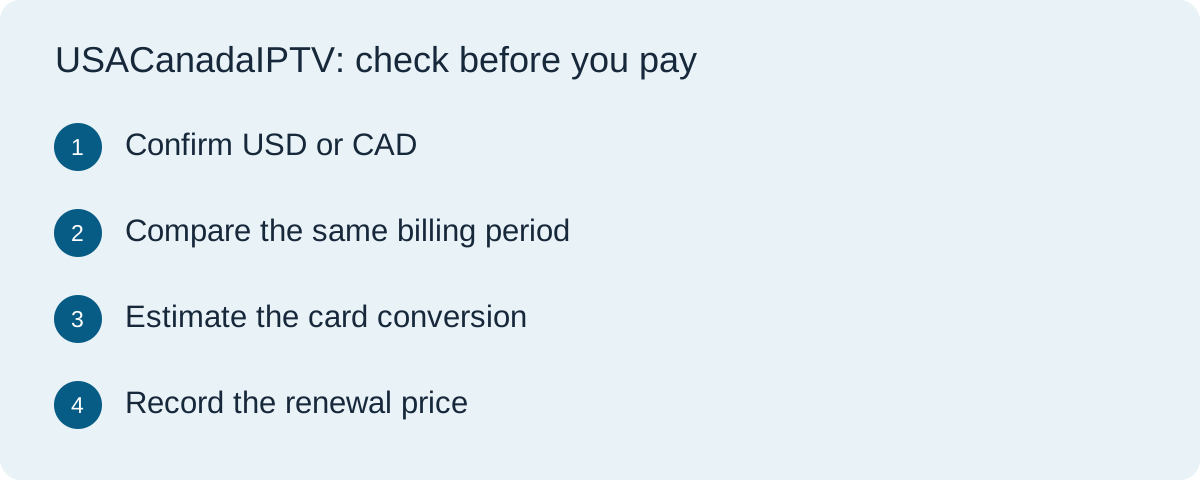
A Canadian viewer sees “$30” on an IPTV offer. A relative in the US sees the same number. Before either can compare it with a local plan, they need the billing currency, the period covered and the final amount at checkout. The dollar sign alone answers none of those questions. This worksheet walks through a comparison you can make before entering card details.
Read the final checkout screen
Write the merchant’s quoted total with its three-letter currency code: USD or CAD. Copy the term, the amount due today and any separately listed tax or mandatory charge. If a selector changes the display currency, continue to the order summary and check what currency the merchant says it will charge. If the code is absent there too, ask the merchant to confirm it in writing.
Do the comparison in the currency you budget in
Imagine a viewer budgeting in Canadian dollars. One one-month offer is USD 30 and another is CAD 42. For this example only, assume 1 USD converts to 1.35 CAD and the first card purchase carries a 2% conversion charge. The estimate is 30 × 1.35 = CAD 40.50, then 40.50 × 1.02 = CAD 41.31. Under those assumptions the difference is CAD 0.69. These are illustrative figures. Enter your own card terms, actual checkout totals and estimated rate. If the two offers cover different terms or devices, compare those differences before drawing a conclusion.
For a US viewer comparing a CAD offer, reverse the direction: use USD per CAD to estimate the cost in US dollars. Label the units next to the rate. The Financial Consumer Agency of Canada explains how card issuers calculate foreign-currency charges. Your card agreement tells you which charges apply to your purchase.
Keep a separate line for renewal
Record the regular renewal price, its currency, the next billing date and the cancellation route. A discounted first term can make the amount due today a poor estimate of what you will spend over a year. If renewal is optional, check how to switch it off and whether access continues to the end of the paid period. For an automatically renewing foreign-currency plan, even an unchanged merchant price can produce a different amount in your home currency at renewal.
A checkout note to keep with your receipt
Copy this into a private note: merchant and plan ___ / amount due today and currency ___ / period covered ___ / estimated home-currency total ___ / renewal price and currency ___ / renewal date ___ / how to cancel ___. Save the receipt and compare it with the posted transaction. For a discrepancy, start with the currency and amount printed on the receipt. Ask the merchant about the invoiced amount and your card issuer about conversion or a separately applied charge.
Questions before you pay
Does a US or Canadian domain tell me the billing currency?
No. Check the final order summary or obtain confirmation from the merchant. A country name in a website address does not identify a transaction currency.
Can I compare a monthly USD plan and an annual CAD plan?
Yes. Convert both into the same currency, then compare the total commitment and the cost per month covered. Check what can be recovered if you stop early.
Will a later refund always match my original card charge?
Ask the merchant which amount and currency it will refund and ask the issuer how it handles conversion and fees. Keep the original and refund receipts so you can compare them with the statement.
For help comparing what the plans include, see our service comparison and trial guide. Commercial disclosure: this site promotes TereaTV. If you are considering its offer, check TereaTV’s trial checkout for the terms and currency shown for your order.