IPTV Closed Captions & Audio Description: Check Before Buying
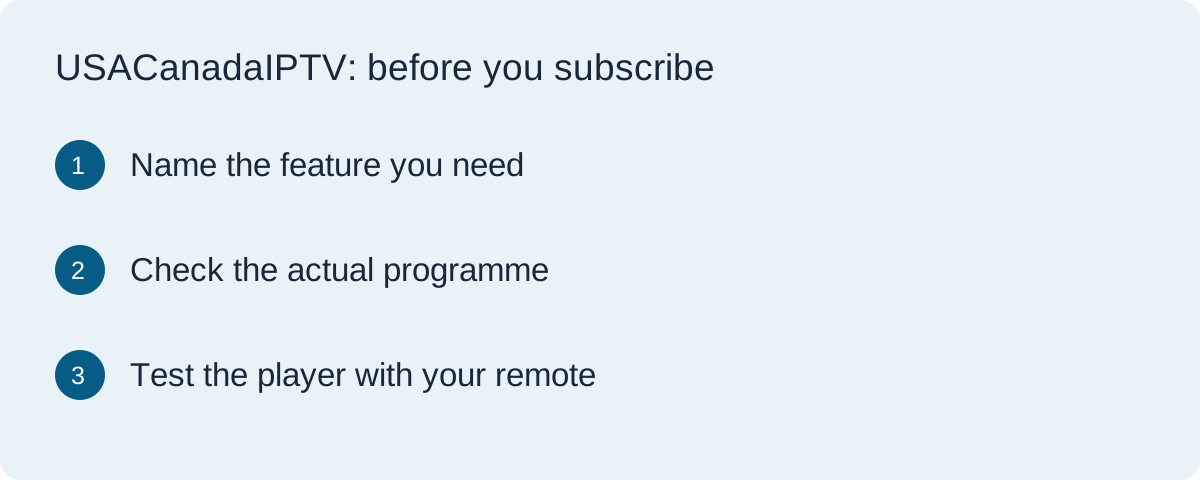
Before buying IPTV for accessible viewing, check the exact programme, its available caption or audio tracks, and the controls on your own device. A television's accessibility menu does not prove that every programme in a third-party app includes the feature you need.
Commercial disclosure: This website has commercial connections with featured services. This is a buyer checklist, not a test or certification of a provider's accessibility, content rights or legal compliance.
Describe the feature, not just the word accessible
Different household needs require different questions. One viewer may need dialogue and relevant sound information displayed as text. Another may need narration describing visual action, while someone else needs spoken menus or controls that work reliably with a remote. These needs are related, but one feature does not automatically supply the others.
Write down the requirement in plain language before contacting a seller: which programme, which language, which device, and what task is currently difficult. For example, needing English captions on a particular live news feed is more specific than asking whether a plan supports subtitles somewhere in its catalogue.
Separate captions, subtitles and audio description
Apple's accessibility labels describe captions as text representing dialogue and relevant sounds. Audio description is a separate feature that adds spoken description of visual information. These definitions help you ask precise questions; they do not establish that an IPTV seller supplies either feature.
A label saying English subtitles may not tell you whether the track includes sound cues, whether it is available for the exact episode, or whether it can be selected in your television player. Ask what the service actually provides and test the feature on the intended programme instead of relying on a general language list.
The content, player and device must work together
| Layer | Question to answer | Evidence to keep |
|---|---|---|
| Programme | Does this specific live feed or episode include the required track? | Programme, episode or channel name and available track label |
| Player | Can the app expose and select that track? | App name, version and your observed menu options |
| Device and controls | Can the viewer find, read or operate the feature? | TV or streaming-device model and remote observations |
Keep live and on-demand observations separate. A caption track available on an on-demand episode does not prove that the live feed carries it. If the service offers replay, check that version separately as well. A different app on the same device can expose different controls.
Check title-level information before paying
Apple's guide to accessibility features in its TV app explains checking the information supplied for films and programmes. The principle is useful when evaluating another service: request title-level details rather than a broad statement about the whole library. Apple's documentation applies to its own app and should not be read as certification of another platform.
For viewing in the USA or Canada, confirm that the exact programme is available in your location and that the required language or accessibility version is included. Do not assume that an offer advertised for both countries has identical rights, feeds or tracks in each market.
Test navigation as well as playback
During an appropriate trial, use the actual remote rather than relying only on a seller's phone demonstration. Find the programme, open its playback controls, locate the relevant track, select it and return to normal viewing. Observe whether text is readable at your usual viewing distance and whether the selection is retained when you reopen the app.
Device screen readers address a different task from programme audio description. Google TV's accessibility help documents options such as TalkBack for its interface. Enabling a device feature does not establish that every third-party player's buttons are labelled usefully or that a film includes a descriptive soundtrack.
If navigation is difficult, record the exact task that failed: the focus disappears, a button has no useful spoken name, captions cannot be selected, or the track changes back after restarting. Those observations give support a clearer problem than saying that accessibility is broken.
A short message to send before subscribing
I use [device model] with [player and version] in [USA or Canada]. I need [captions, audio description or accessible controls] for [specific programme or channel]. Is that feature available in this plan on this device? Please identify any separate player licence, supported languages or limitations, and explain how I can check it before committing.
Do not put your password, full account details or credential-bearing playlist link into a public support message. If support cannot confirm an essential requirement, treat it as unresolved rather than assuming the feature will appear after payment.
Choose the subscription after the accessibility check
Once the essential feature works on your intended setup, compare the full payment, duration, connection limit and renewal terms. Our 4K buyer checklist covers the separate picture-quality decision, while our device guide helps organise compatibility questions.
For current commercially connected options, visit TereaTV and ask about your exact programme and device before ordering. The link is a commercial next step, not an assertion that its service has passed this checklist. You can also use our trial guide to plan the session.
Common questions
Will turning on captions in my TV settings make every channel show captions?
No. The programme must supply a suitable track and the player must support its selection and display. Test the exact feed and app you will use.
Is a screen reader the same as audio description?
No. A screen reader can speak interface text and controls. Audio description supplies narration about visual content in a programme when that soundtrack is available.
Does a trial on one device prove accessibility on another?
No. Player availability, controls and track support may differ. Check the television or streaming device that the viewer will actually use.